
How to secure WordPress website from hackers is one of the most common concerns for site owners today. WordPress websites are targeted daily by automated attacks, not because WordPress is insecure, but because basic security steps are often ignored. Most WordPress security advice on the internet is either outdated, incomplete, or written by people who’ve never dealt with a real hack.
If you’ve ever searched “how to secure WordPress”, you’ve probably seen:
- Long plugin lists
- Conflicting advice
- “Install this and you’re safe” promises
And yet… WordPress sites keep getting hacked every day.
This guide is different.
This is not a checklist copied from documentation.
This is a practical, real-world guide to securing a WordPress website based on how attacks actually happen today.
The Truth: To Secure WordPress Site Isn’t the Problem — Site Owners Are
WordPress itself is not insecure. Most hacked WordPress sites share the same characteristics:
- Outdated plugins
- Weak access control
- No monitoring
- Cheap hosting with zero isolation
- “Set and forget” mindset
Hackers don’t manually target your site. They use automation. Bots scan thousands of websites looking for:
- Known plugin vulnerabilities
- Exposed login pages
- Weak credentials
- Misconfigured servers
If your site looks easy, it gets compromised. Simple as that.

Why Most “Secure WordPress Site Security Tips” Fail
Before we talk about solutions, let’s kill some bad advice.
❌ Myth 1: “Install a security plugin and you’re safe”
False.
A plugin is one layer, not a strategy.
❌ Myth 2: “WordPress gets hacked because it’s popular”
Also false.
Popularity only matters when basic hygiene is missing.
❌ Myth 3: “I’m too small to be targeted”
Wrong again.
Small sites are targeted more, because they’re easier.
Security is not a feature — it’s a process.
How WordPress Websites Actually Get Hacked
In real-world incidents, attacks usually come from one of these paths:
- Vulnerable plugins or themes
- Brute-force login attempts
- Compromised hosting environments
- No firewall or traffic filtering
- No visibility when something goes wrong
If you secure these areas properly, you eliminate most real threats.
Step 1: Reduce Your Attack Surface (This Is Where Security Starts)
Security doesn’t start with tools.
It starts with removal.
What to remove immediately:
- Plugins you’re not actively using
- Themes you don’t need
- Old test pages
- Unused admin accounts
Every extra component is:
- More code
- More risk
- More maintenance
A lean WordPress site is a safer WordPress site.
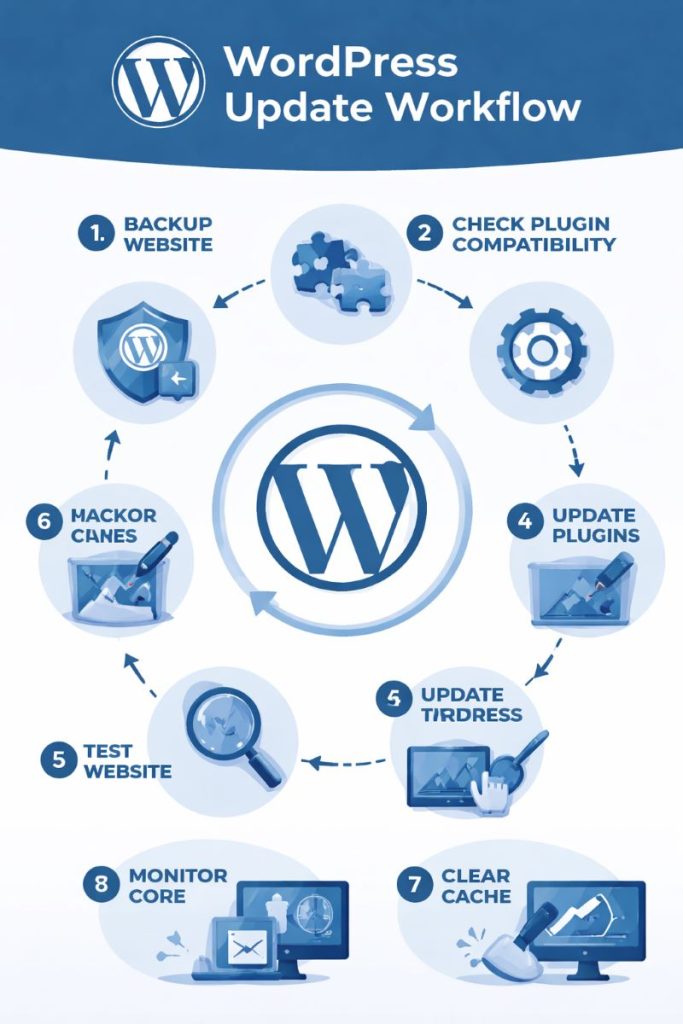
Step 2: Updates Are Non-Negotiable (But Do Them Smartly)
Most WordPress hacks exploit known vulnerabilities — not zero-days.
That means:
- The fix already exists
- The site owner just didn’t apply it
What actually works:
- Enable auto-updates for WordPress core
- Manually review plugin updates weekly
- Replace plugins that are no longer maintained
If a plugin hasn’t been updated in a year, it’s a liability — not a feature.
Step 3: Access Control Is More Important Than Passwords Alone
Yes, strong passwords matter.
But access control matters more.
What serious sites do:
- Unique admin usernames
- Long, unique passwords (not reused anywhere)
- Two-factor authentication (2FA)
- Limited admin accounts
Ask yourself:
“Who actually needs admin access?”
If the answer is “everyone,” your site is already at risk.
Step 4: Security Plugins — Use Them Strategically, Not Emotionally
Security plugins are useful — when configured correctly.
What a good security plugin should do:
- Rate-limit login attempts
- Detect file changes
- Block known malicious patterns
- Alert you early
What they should NOT do:
- Replace server security
- Slow your site to a crawl
- Conflict with other plugins
Use one reputable security plugin.
More plugins ≠ more security.
Step 5: A Firewall Is Not Optional in 2026
If your WordPress site is public, you need a firewall.
A firewall:
- Blocks bad traffic before WordPress loads
- Stops brute-force and bot attacks
- Reduces server strain
- Buys you time when attacks happen
Without a firewall, your site is exposed directly to the internet — and that’s reckless for anything beyond a hobby blog.
Step 6: Hosting Can Make or Break Your Security
This is uncomfortable, but true:
Most cheap hosting environments are insecure by design.
If one site on the server gets compromised, others often follow.
Secure hosting should provide:
- Account isolation
- Malware scanning
- Server-level firewalls
- Automatic backups
- Active patching
If your hosting provider doesn’t talk about security, assume it’s not a priority.
Step 7: HTTPS Is Basic — But Misconfigurations Still Happen
HTTPS isn’t advanced security anymore — it’s baseline.
But many sites still:
- Load mixed content
- Have broken redirects
- Expose admin pages improperly
Make sure:
- All pages force HTTPS
- No login pages load over HTTP
- Certificates auto-renew
This protects credentials and user trust.
Step 8: Backups Are Your Last Line of Defense
Every professional security setup assumes failure is possible.
Backups are not optional — they’re survival.
Best backup strategy:
- Automated (daily or weekly)
- Stored off-site
- Tested occasionally
If your site gets compromised and you have no clean backup, recovery becomes expensive and painful.
Step 9: Monitoring Is What Separates Pros from Amateurs
Many sites stay hacked for weeks without knowing.
That’s unacceptable.
Monitoring should:
- Detect file changes
- Alert on suspicious logins
- Notify you of malware
- Show unusual traffic patterns
Security isn’t just prevention — it’s visibility.
A Realistic WordPress Security Checklist
If you want a grounded benchmark, this is it:
- WordPress core updated
- Plugins actively maintained
- Minimal admin access
- 2FA enabled
- Firewall active
- Secure hosting
- Regular backups
- Monitoring alerts enabled
If you’re missing more than two of these, your site is exposed.
When DIY Security Is No Longer Enough
At some point, security becomes a business decision, not a technical one.
You should seek professional help if:
- Your site handles customer data
- Your site generates revenue
- You’ve already been hacked
- Downtime costs you money or reputation
Security failures are far more expensive than prevention.
Final Word: Security Is a System, Not a Plugin
Securing a WordPress website from hackers isn’t about chasing tools.
It’s about reducing risk, increasing visibility, and responding fast. Most hacks are boring, predictable, and preventable. The sites that get compromised are rarely unlucky — they’re unprepared.
While basic steps can protect most WordPress websites, security threats continue to evolve. Advanced attacks, server-level vulnerabilities, and automation-based exploits often require deeper technical monitoring and response strategies, which are covered in more detail by cybersecurity-focused platforms like Cyberorama.
This guide is written for website owners, bloggers, and small businesses looking to protect WordPress sites from common hacking attempts such as brute-force attacks, malware injection, and vulnerable plugins